Bring Order to Your Files
Automatically
Smart AI Renamer uses AI to analyze your PDFs and images, then generates meaningful filenames. No more "Scan_001.pdf" or "IMG_4523.jpg".
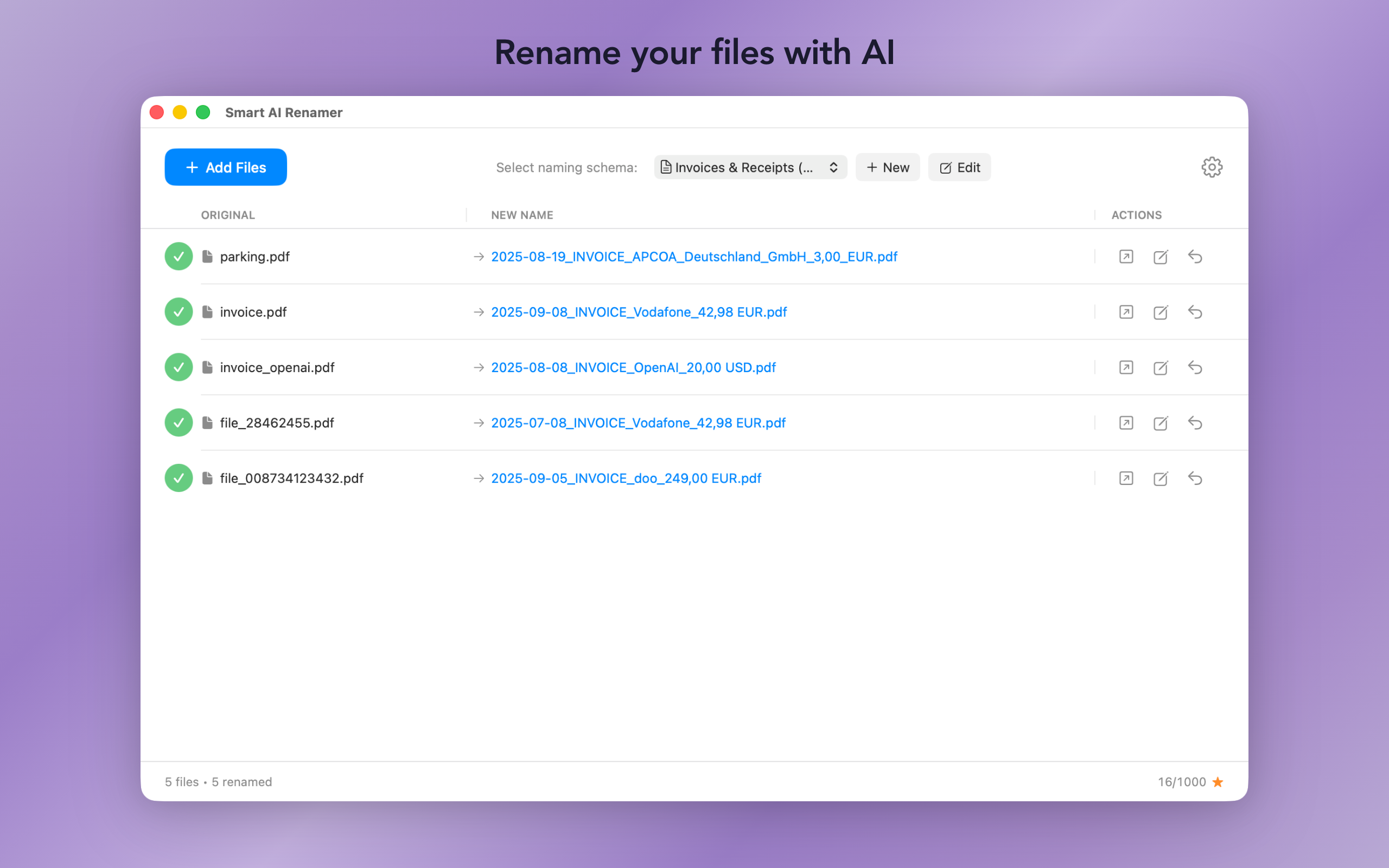
Smart AI Renamer uses AI to analyze your PDFs and images, then generates meaningful filenames. No more "Scan_001.pdf" or "IMG_4523.jpg".
Everything you need to organize your documents effortlessly.
The AI reads your documents and extracts dates, senders, amounts, and document types. You choose the AI: Gemma 4 or Apple Intelligence on your Mac — or OpenAI and Anthropic with your own API key.
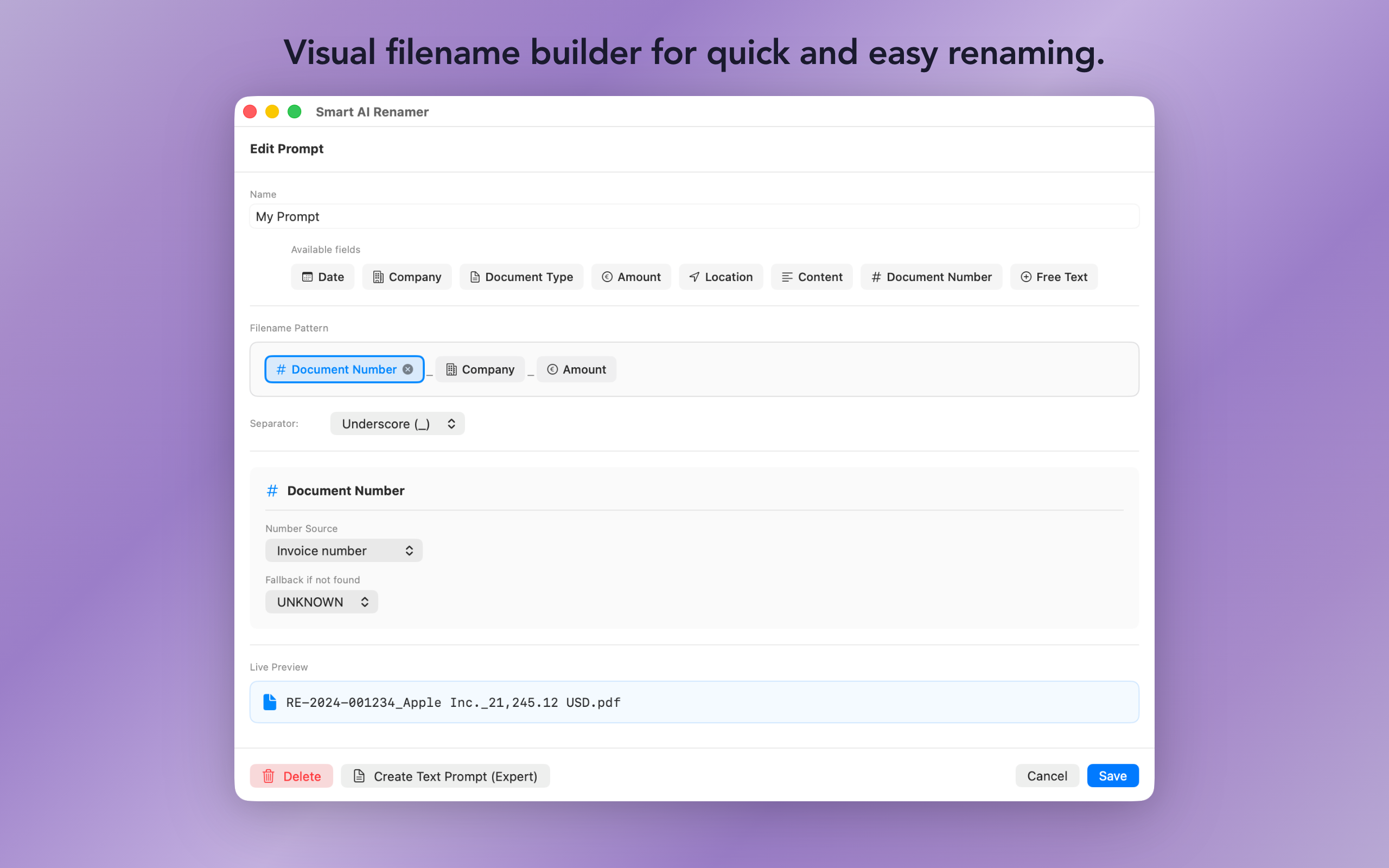
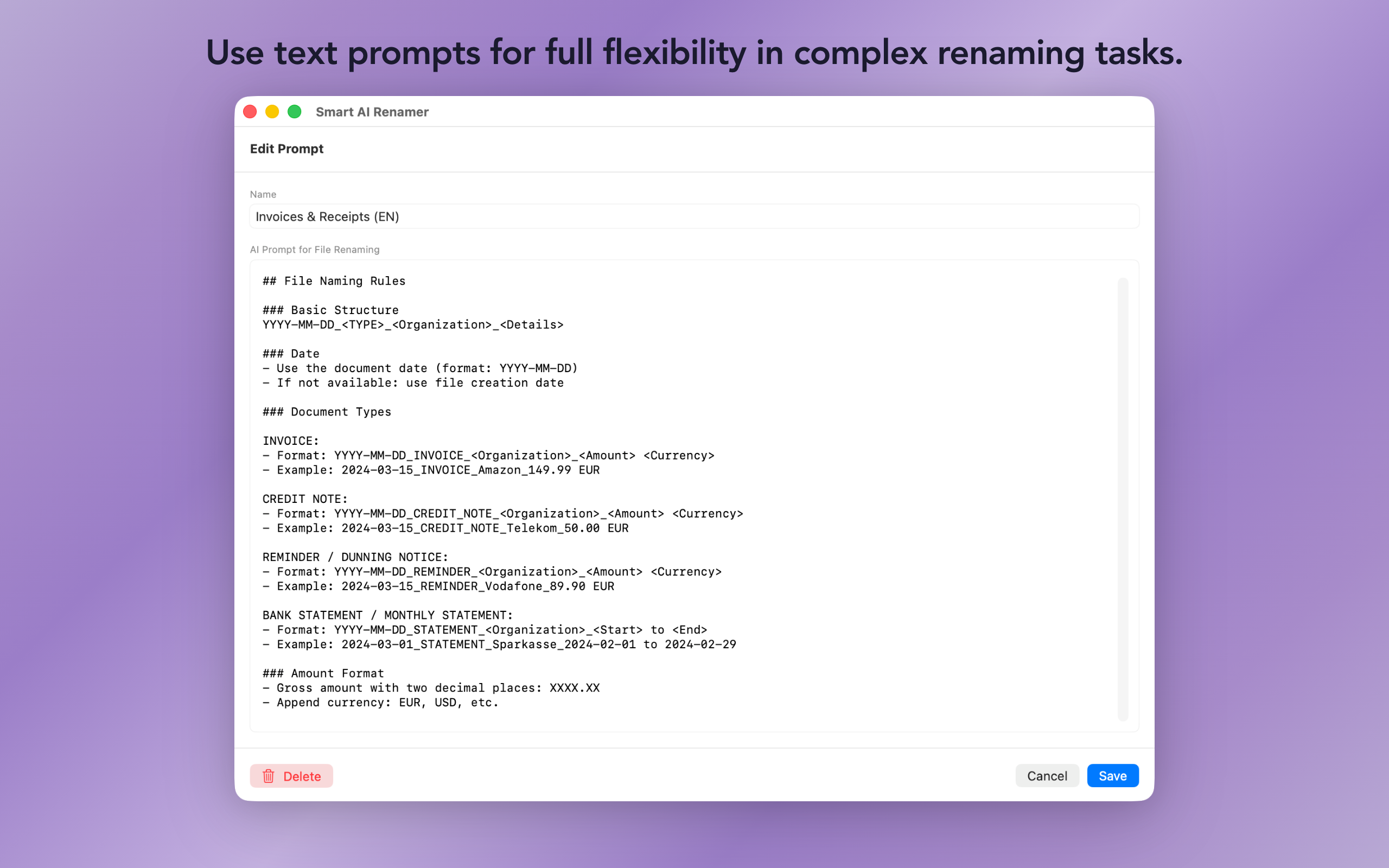
Use pre-built templates for invoices, receipts, or bank statements — or create your own naming patterns with the visual template builder.
Process PDFs, JPG, PNG, HEIC, WebP and more. Perfect for scanned documents, invoices, receipts, and photos.
With on-device models, your documents never leave your Mac. We run no server and collect no data. No tracking SDKs.
Choose the workflow that fits you best.
Drag and drop files or use the file picker. Preview all suggested names before renaming. Batch process hundreds of files at once.
Right-click any file directly in Finder and rename it with AI — no need to open the app first. Seamless integration.
Set up monitored folders with individual templates. New files are renamed in the background via the menu bar — fully automatic.
Perfect for anyone who wants to bring order to their digital chaos.
Name invoices and receipts by date, company, and amount.
Make all documents uniformly sortable for filing.
Give screenshots and images meaningful names.
Automatically name documents right after scanning.
Make scanned documents instantly searchable.
No subscription. Try it for free, then unlock the full version with a one-time purchase.
Had a Premium or Pro subscription? Your full version is unlocked automatically.

Download Smart AI Renamer from the Mac App Store — try 20 renames for free, then unlock it once.
Download on the Mac App Store